Introducción
A CNC cutting machine is no longer a luxury reserved for large factories. In 2026, job shops, metal fabricators, signage makers, furniture workshops and small custom shops all run a CNC cutting machine on a daily basis — and the gap between a profitable investment and an expensive paperweight usually shows up within the first six months.
The mistake most buyers make is comparing machines by price alone. Two machines that look identical on a spec sheet can deliver a very different cost per part once you account for power consumption, consumables, downtime, nesting software, after-sales response and residual value. This guide walks you through the 10 buying decisions that actually decide whether your CNC cutting machine pays for itself, with real numbers you can take to any supplier.
What Is a CNC Cutting Machine?
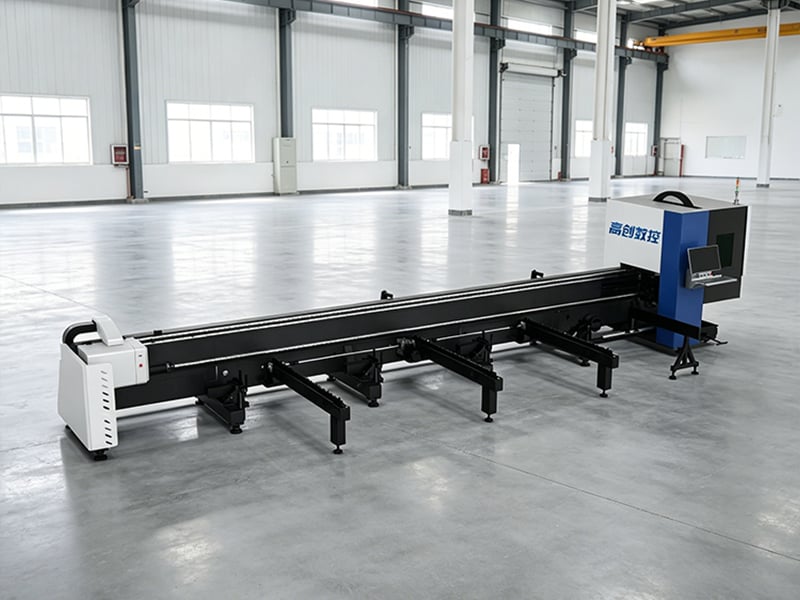
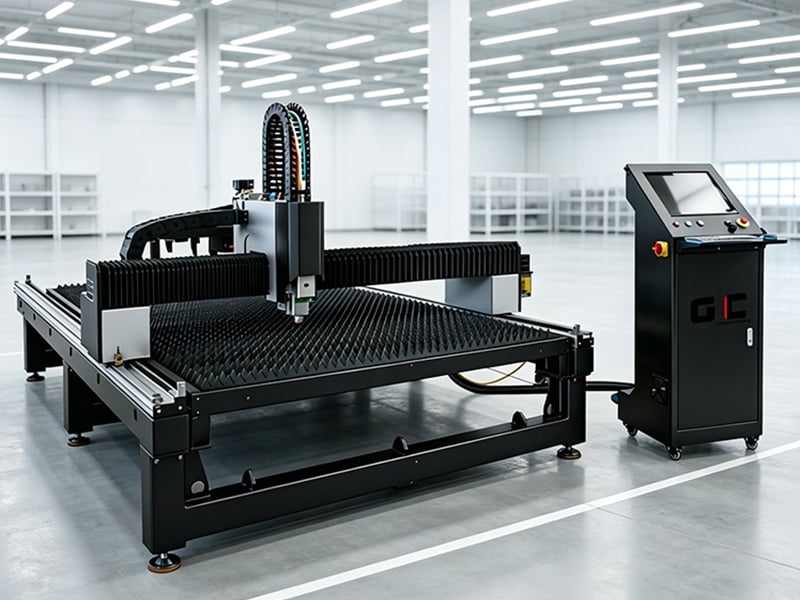
A CNC cutting machine is a computer-controlled machine that cuts sheet metal, tube, plate, wood, acrylic or other materials according to a digital design file. CNC stands for Computer Numerical Control: a CAM or nesting software converts your DXF, DWG or STEP drawing into toolpath instructions, and the machine follows those instructions automatically with a cutting head guided by servo motors along X, Y and Z axes.
Unlike manual oxy-fuel cutting or a bandsaw, a CNC cutting machine repeats the same part at the same tolerance thousands of times, nests dozens of parts onto one sheet automatically, and runs unattended after programming. That repeatability is what turns a one-off fabrication shop into a production business.
How a CNC Cutting Machine Works
- Design: The engineer draws the part in CAD or imports a customer’s DXF file.
- Nesting: CAM software arranges parts on the sheet, minimizes scrap, and sets lead-ins, micro-joints and cutting order.
- Cutting: The machine reads the G-code and moves the cutting head over the material at controlled speed, power and gas pressure.
- Sorting: Cut parts are removed, deburred and sent to welding, bending or powder coating.
What changes between machines is the cutting head: a focused fiber laser beam, a plasma arc, a router spindle, a waterjet or a CO2 beam. Choosing the right head technology for your material is the first decision, and the one buyers most often get wrong.
4 Main Types of CNC Cutting Machine Compared
表格
| Type | Best Materials | Typical Thickness | Edge Quality | Running Cost | Best For |
|---|---|---|---|---|---|
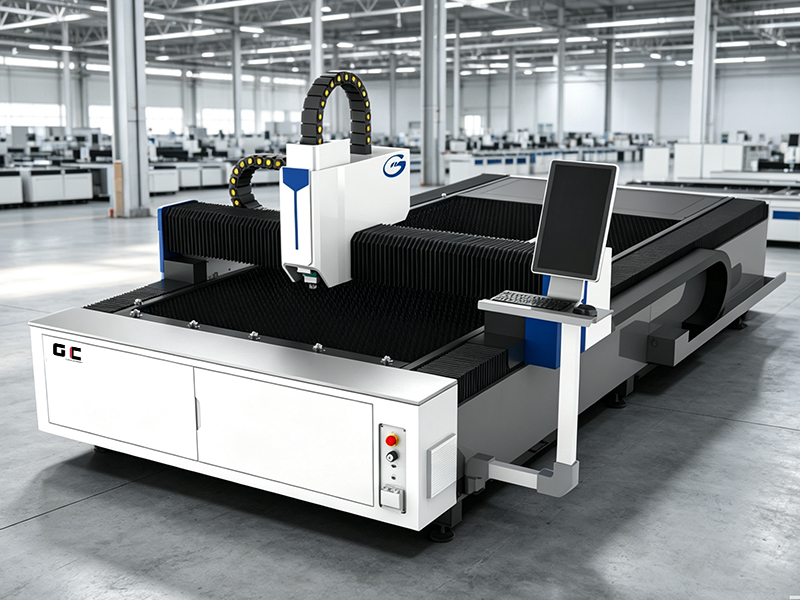
| Fiber laser cutter | Carbon steel, stainless, aluminum, copper, brass | 0.5–25 mm (up to 40 mm with high kW) | Clean, near burr-free | Medium (electricity + assist gas) | Job shops, sheet metal, mixed materials |
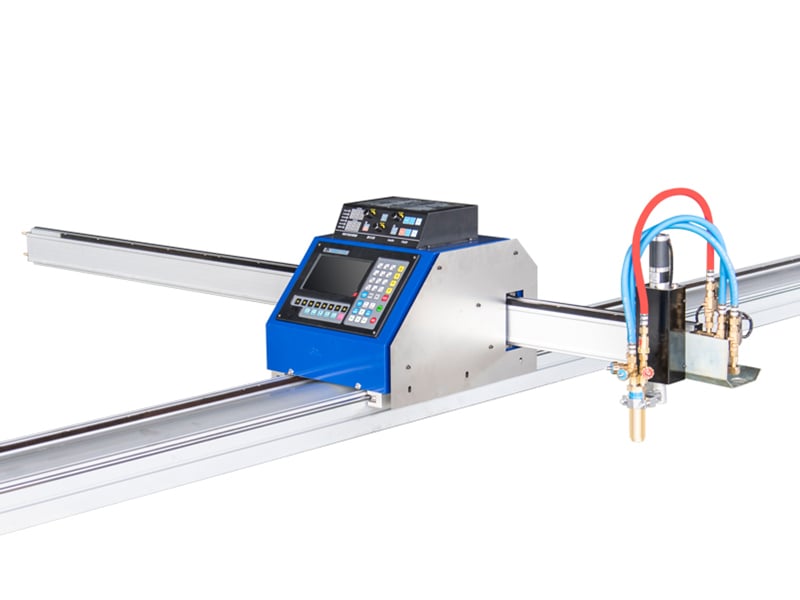
| Cortadora de plasma CNC | Carbon steel, mild steel, heavy plate | 3–50 mm+ | Slightly rougher, needs deburring | Low (consumables cheap) | Heavy plate, structural steel, outdoor fabrication |
| CO2 laser cutter | Thin sheet, acrylic, wood, non-metal | 0.5–8 mm metal; more non-metal | Good | High (tube replacement, gas) | Mixed non-metal shops, fading in 2026 |
| CNC router | Wood, MDF, acrylic, aluminum profile | Depends on spindle | Good | Bajo | Signage, furniture, cabinetry |
For most metal fabricators buying in 2026, a fiber laser CNC cutting machine is the default choice: it handles thin and medium sheet cleanly, cuts copper and brass that plasma struggles with, and its operating cost has dropped sharply as Chinese manufacturing scaled up. Plasma remains unbeatable for thick structural plate, and a router stays the right tool for non-metal work.
The 10 Buying Decisions That Decide Your Cost per Part
1. Match the Machine to Your Material, Not the Price Tag — Write down your material mix over the last 12 months. Thin sheet (0.5–3 mm) suits 1500W–2000W; medium sheet (3–10 mm) high volume suits 3000W–4000W; thick plate (10–25 mm) needs 6000W+ or plasma; copper and brass require fiber laser.
2. Power: Buy the Right Wattage, Not the Highest — Higher wattage costs more upfront, draws more electricity, and on thin sheet often burns wider kerf. Choose the lowest wattage that cuts your top-three materials at a sellable speed; always request sample cuts on your own material.
3. Bed Size: 3015 Is the Workhorse, Not a Compromise — The 3015 (3050 × 1525 mm) fits a standard 4×8 ft sheet with almost no trim loss and covers ~70% of sheet metal shops. Upgrade to 4020/6025 only when your order book proves oversized plates.
4. Accuracy: Tolerance Is a Sales Number Until You Measure It — Ask for repeatability over a full sheet, branded linear guides (HIWIN, PMI, THK), and automatic edge finding. Verify with a dial indicator before acceptance.
5. Nesting Software Decides Your Scrap Rate — A weak package wastes 15–25% of every sheet; strong nesting lifts yield by 10% overnight. Confirm bundled software (CypCut, FastCAM, Lantek), common-line cutting and remnant storage.
6. Automation: Load/Unload Only When Volume Justifies It — Add a shuttle table first, then loading arm, then storage tower. For single-shift shops, manual loading on a 3015 keeps the machine affordable.
7. Assist Gas and Consumables: The Hidden Monthly Bill — Ask about nozzle life, gas consumption per hour, and air-compressor cutting for thin sheet, which slashes nitrogen bills.
8. Total Cost of Ownership, Not Just Invoice Price — Build a TCO table: invoice, installation/training/shipping, electricity, gas and consumables, software, downtime, residual value.
9. Manufacturer Origin: Value vs Risk — Chinese fiber laser CNC cutting machine makers offer the strongest value-to-performance ratio with IPG/Raycus/Max sources; verify remote English support, stocked consumables, reference customers and written warranty.
10. After-Sales and Training: The Decision Most Buyers Skip — Confirm in writing: remote response time, on-site coverage, multilingual manual, operator training, warranty exclusions.
Quick Cost-per-Part Example
On a 3015 1500W cutting 2 mm carbon steel: 96 nested parts per sheet, ~25 min cycle, ~$23–$27 per sheet → $0.24–$0.28 per part. Poor nesting raising scrap from 10% to 25% loses ~16 parts per sheet — a margin hit no cheap machine can recover.
5 Common Buying Mistakes
- Buying on price alone and ignoring spare-parts lead time.
- Oversizing wattage for thin-sheet work.
- Skipping sample cuts on your own material before deposit.
- Forgetting software licensing and upgrades in the quote.
- Ignoring after-sales language and timezone.
Preguntas frecuentes
What does a CNC cutting machine cost in 2026? A 3015 1500W fiber laser runs $18,000–$35,000; entry plasma starts lower; 6000W+ with automation runs $60,000+. Compare TCO, not headline price.
Is fiber laser better than plasma? Fiber wins on thin/medium sheet, aluminum, stainless, copper and brass; plasma stays cheaper for thick carbon steel plate above 15–20 mm.
What size should a small shop start with? A 3015 bed, 1500W–2000W fiber laser; upgrade only when orders prove the bottleneck.
How long does a fiber laser CNC cutting machine last? Bed 8–12 years; laser source 3–5 year warranty, often 100,000+ hours; consumables replaced on schedule.
Can it cut copper and brass? Yes — fiber laser’s 1064 nm wavelength couples with reflective metals; plasma and CO2 struggle.
Conclusión
Choosing a CNC cutting machine comes down to ten decisions: material match, wattage, bed size, accuracy, nesting software, automation, consumables, TCO, manufacturer value and after-sales. List your material mix, run the TCO table, request sample cuts, then negotiate. A well-matched 3015 1500W pays back in 12–24 months; a mis-sized machine sits underused for a decade.
Ready to size your CNC cutting machine? Send us your material list, thickness range and monthly volume, and we will recommend a configuration — with sample cuts, a transparent TCO quote and English-language after-sales support.